
A Galaxy Watch that talks to an iPhone
Samsung’s Wear OS watches officially don’t work with an iPhone. This app makes them work together anyway, using Bluetooth services that are already built into iOS: ANCS for notifications and AMS for media controls. You install one app on the watch and pair it once from the iPhone’s Bluetooth settings.
OpenGalaxyWatch is my copy of WatchBridge, which was started by Raj Tiwari and extended in forks by Irwanripansyahh and WasThatRudy. Nearly everything here is their work. My change so far is small but useful day to day: notifications now show up to 2,048 characters of the message instead of cutting off at 256.
What it does
| Feature | What you get |
|---|---|
| Notifications | iPhone notifications appear as normal watch notifications, with the app’s real icon and original time, stacked per app |
| Chats | Messages from one chat share a card in the Wear OS chat layout |
| Dismissal | Clearing a notification on the watch clears it on the iPhone, and the other way round |
| Calls | Full-screen Accept and Decline, a call timer and hang-up, with the option to talk on the watch |
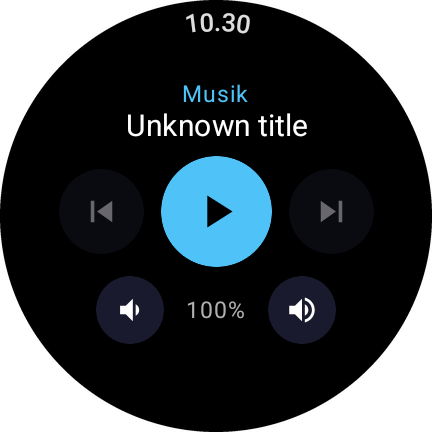
| Music | Play, pause, skip and volume for whatever is playing on the iPhone, including from the bezel or crown |
| Camera remote | A shutter button for the iPhone’s Camera app, with a 3 or 5 second timer |
| Rest timer | A countdown with its own tile and a strong buzz when the rest is over |
| Tiles | iPhone battery and connection, music controls, and the rest timer |
Download & install it
The app isn’t on the Play Store, so you install it once from a computer over Wi-Fi. It takes about five minutes.
Needs: a Galaxy Watch on Wear OS 3 or newer, an iPhone, a Mac, Windows or Linux computer, and the watch and computer on the same Wi-Fi network.
SHA-256:
0edc768a98219483d1ad31ab02fe114931744bd55bb0e12e085c11f106f8ffd2The easy way: use the installer
The installer downloads the app and walks you through steps 1 to 4 below, checking each one as you go. On a Mac or Linux computer, paste this into Terminal:
bash <(curl -fsSL https://raw.githubusercontent.com/Faizanabid1/OpenGalaxyWatch/master/scripts/install.sh)
On Windows, download install.bat and double-click it. Then skip to step 5.
Or install it yourself
You’ll need Android platform-tools, which include adb.
- Turn on Developer options. On the watch, open Settings → About watch → Software information and tap Software version about 7 times.
- Turn on Wireless debugging. Go back to Settings → Developer options and turn on Wireless debugging. Allow it on this network if asked.
- Connect from your computer. Tap Pair new device on the watch, then run
adb pair <ip:port> <code>with the address and 6-digit code it shows. Go back one screen and runadb connect <ip:port>with the address on the main Wireless debugging page. The two addresses are different. - Install the app. Run
adb install -r OpenGalaxyWatch-1.0.0.apkfrom the folder holding the download. To let the app install its own updates later, also runadb shell appops set com.watchbridge REQUEST_INSTALL_PACKAGES allow. - Set it up on the watch. Open WatchBridge, tap Get Started, and allow each permission. Then tap Connect → Start Pairing.
- Pair from the iPhone. Open Settings → Bluetooth, tap WatchBridge, then Pair. Tap the (i) next to it and turn on Share System Notifications. For calls on the watch, it should say Connected; if it says Not Connected, tap it.
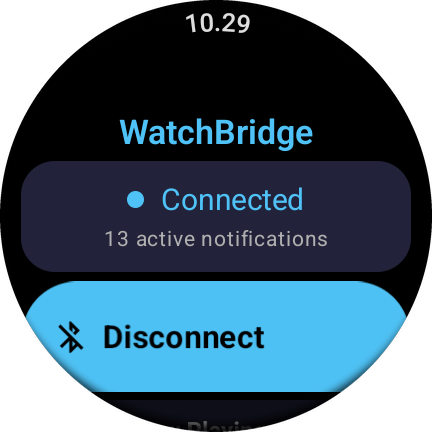
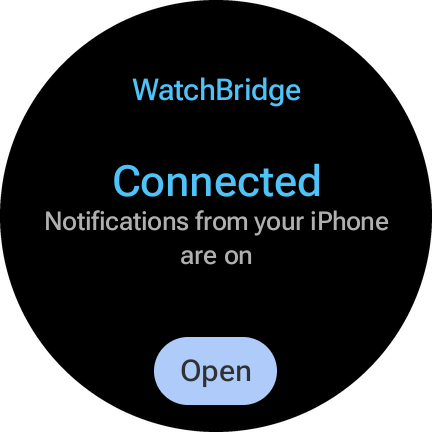
The watch shows Connected when it’s done. You can turn Wireless debugging off again to save battery. If you’d rather build from source, the steps are in the README.
What iOS won’t allow
- Pictures in notifications. The iPhone sends notification text only, so an image attached to a Waze alert can’t reach the watch.
- Typed replies. Only the two actions the iPhone offers for a notification, such as Clear, are available on the watch.
- Starting calls and syncing health data. Neither is possible through these Bluetooth services.
Common questions
Do I need to install anything on the iPhone?
No. You pair the watch once in Settings → Bluetooth, and iOS shares notifications and media controls with it.
Which watches work?
The upstream project was tested on a Galaxy Watch7 running Wear OS 6. Any Galaxy Watch on Wear OS 3 or newer should work. Other Wear OS 3+ watches might work, but they’re untested.
Does my notification content leave the watch?
No. The only network traffic is a one-time App Store lookup for the icon of an app without a built-in one, and a GitHub check for updates.
Why does the app say WatchBridge?
That’s the project it’s built on, and the name hasn’t been changed.
Can it update itself?
Yes. Open Settings → Updates in the app on the watch. It checks this project’s GitHub releases, and the watch installs new versions without a computer, as long as you allowed updates during install.
Is the download safe?
It is built from the public source on GitHub. To check you have the same file, compare its SHA-256 checksum with the one above.