


 ● ON AIR
On air · the contestant survival guide
PrimetimeCarnage
You’re on the air.
Try to stay there.
A cursed ’80s game show. A camera drone at your side. Survive the set, work the crowd, and make a spectacularly bad career choice.
Skip to your briefing Guide contents ↓
New contestant briefing
Your first five minutes on air.
Chet has a show to run. Lenny has a camera. You have a dodge button. Get very familiar with it.
01 · Pick your contestant
Start a Season and get a feel for moving, attacking, and dodging. Your first job is to reach the next break, not set a record.
02 · Read the fine print
Each Round has an S&P memo: the set’s special rule. Check it before charging into a room that seems suspiciously generous.
03 · Find the Stage Door
Keep moving through the set, grab useful loot, and watch your Airtime. The way out matters more than one last crate.
Casting call
Meet the contestants.
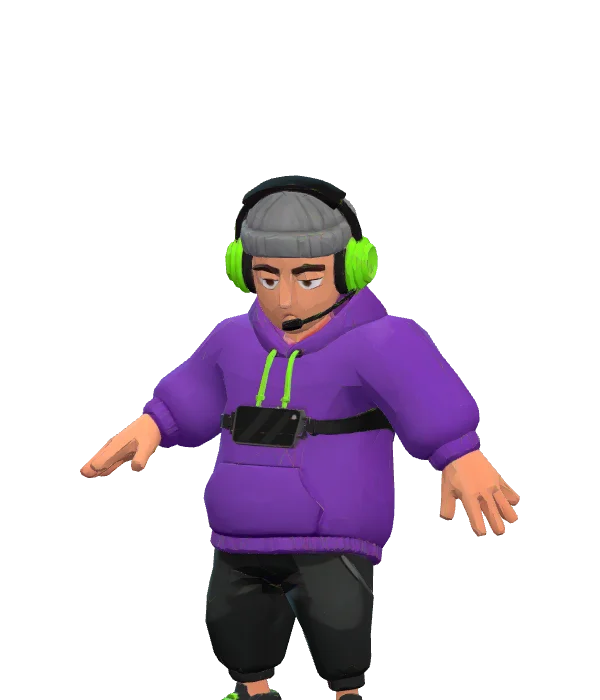
Four familiar faces. One deeply questionable career move. These are the character models you will meet on the casting screen.
Surviving the set
Read the room. Dodge the disaster.
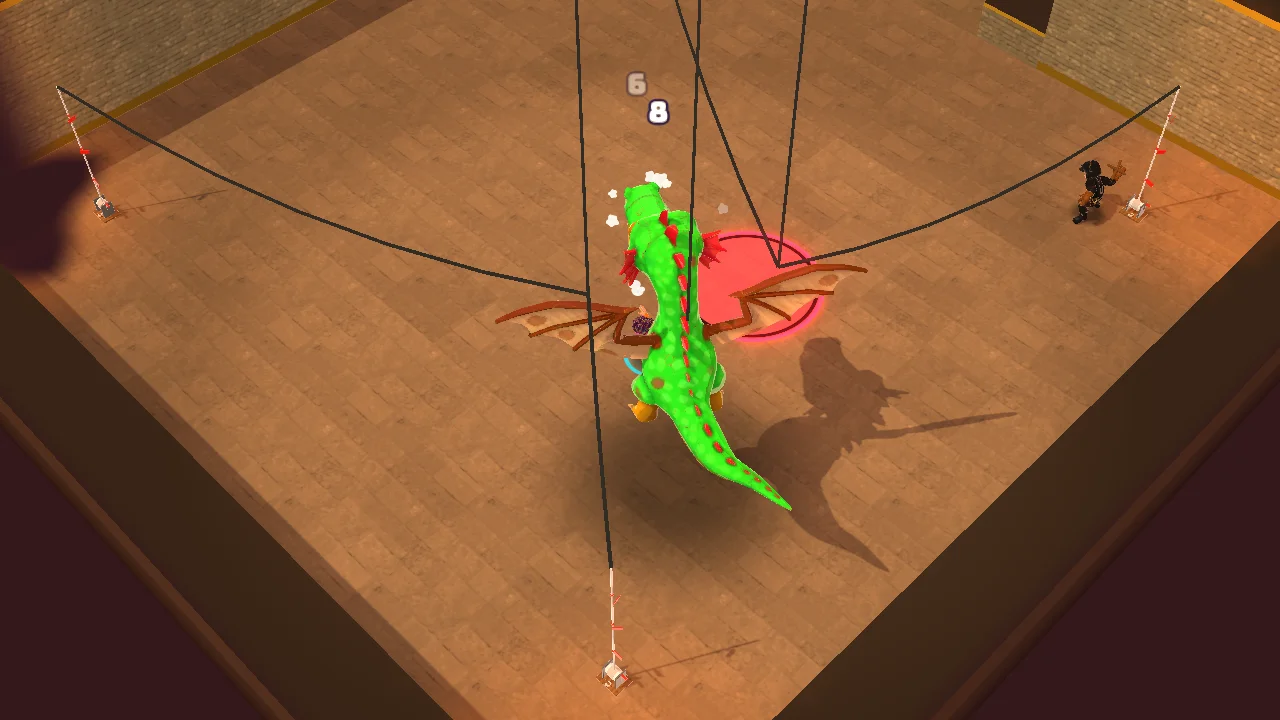
Watch the warning, not just the target.
Dangerous attacks announce themselves. Leave the floor marker before committing to another swing. A dodge briefly protects you; a roll just before a hit can reward Ratings too.
Holding attack keeps the weapon working. It does not make standing still a good idea.
Make an opening.
Skills recharge. Lenny’s spotlight can stun enemies in front of you, and a full Hype bar powers your signature. Save something for the moment you actually need it.
Guest stars are the larger encounters at the end of a set. Give yourself room to learn their phases.
Ratings, Viewers & Hype
Give them a show.
Survival keeps you in the studio. Style keeps people watching.
Ratings
Your performance in the moment. Stylish play raises it; camping loses audience. Keep moving and make your openings count.
Viewers
The crowd your performance brings in. Season Audience is the score you build across the run.
Hype
A resource earned as Ratings rise. Fill the bar, then spend it on your signature ability.
Play to the Crowd is a gamble: posing can win Viewers, but leaves you exposed. Clear a little space before taking your bow.
Make the most of the break
We’ll be right back.
A Commercial Break is where a pile of odd loot becomes a build. Try two pieces of junk at the workbench to discover a recipe; once learned, you can craft it from inventory when you have the ingredients.
Use Prize Money for this season’s shop. Prize Doors take earned keys. Check your equipment and quick slots before returning to the set—an item you remember to use is worth more than one you forget in your bag.
Casting Call after Round 2 offers archetypes that shape your skills. Level-ups bring a Producer’s Pick: one of three cards. Choose effects that work with the tools you actually use.
What you take home
Cancelled? There’s always another season.
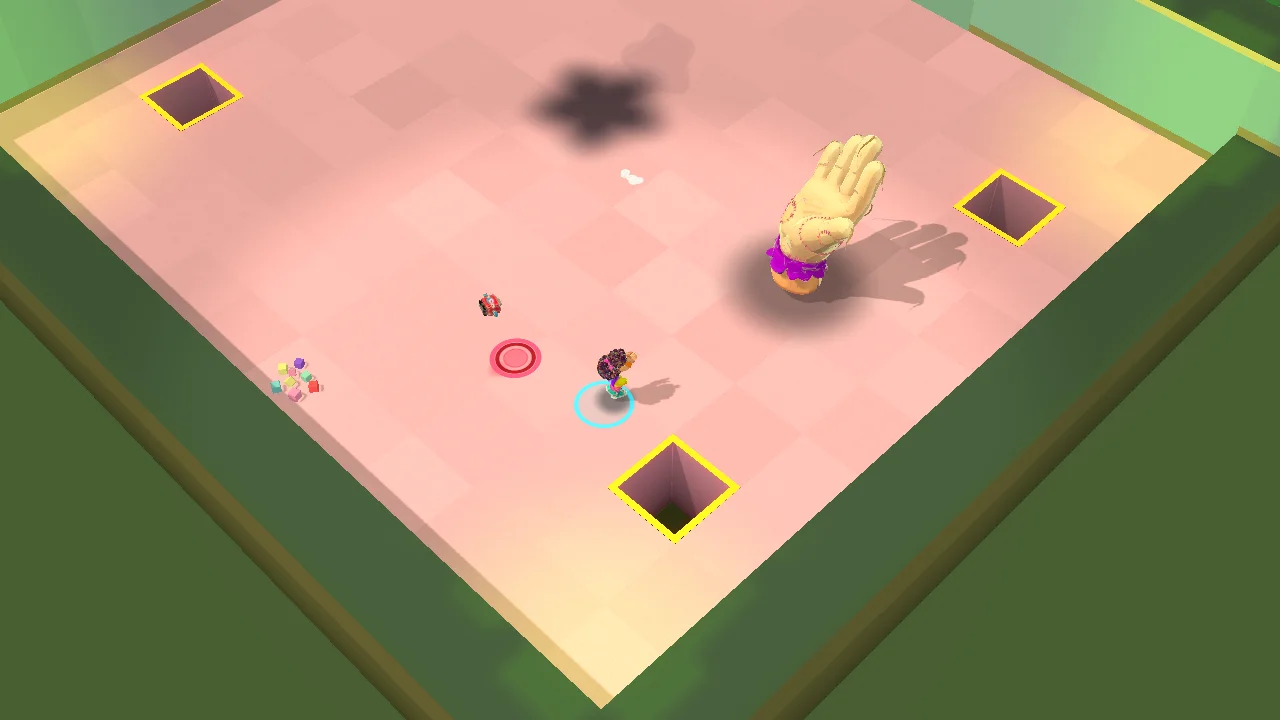
A season has five Rounds and a Finale. When a run ends, read the recap: the cause and recent damage can tell you what to try differently. Then head to the Dressing Room.
Spend Fan Mail.
Fan Mail is your longer-term currency for perks, camera mods, and new archetypes. The Dressing Room also holds your records and optional Mandates.
Keep the highlights.
Highlights record achievements and their rewards. Prize Money is just for the current Season; it does not come with you into the next attempt.
Pick one thing to improve next time: an earlier dodge, a build with a clearer direction, or knowing when to leave.
Touch, keyboard & gamepad
Know your buttons.
On a phone, move with your left thumb. Attacks aim automatically; drag a skill button when you want to aim it yourself. Attack, dodge, skills, and quick items sit under your other thumb. Nearby interactions appear when you can reach them.
All keyboard & gamepad controls
| Action | Keyboard / mouse |
|---|---|
| Move / aim | WASD or arrow keys / mouse pointer |
| Attack | Left mouse button; hold to continue attacking |
| Dodge | Space |
| Skills 1 / 2 | Q / E |
| Signature ability | R, with a full Hype bar |
| Play to the Crowd / spotlight | F / C |
| Interact | G or right mouse button |
| Quick items | 1–4 |
| Inventory / S&P memo | I or Tab / M |
| Pause | Esc or P |
On a touch screen
Move with the left thumb. Attacks aim automatically; drag a skill button when you want to aim that skill yourself. The large attack button, dodge, skill, and quick-item buttons handle combat, while inventory and pause are in the top corner. Interactions appear when something is within reach.
With a gamepad
Use the left stick to move and the right stick to aim. RT or X attacks, A dodges, LB/RB use the two skills, Y uses the signature, B plays to the crowd, and LT activates Lenny’s spotlight. D-pad down interacts; up, right, and left use quick slots 1, 2, and 3. Quick slot 4 has no default gamepad binding. Start pauses and Back opens inventory.
The in-game How to play panel follows the device you are using. Consult it if a control changes during development.
The in-game How to play panel follows your input device and is the reference for the build you are playing.
Comfort & save codes
Adjust your broadcast.
Settings includes text scaling, screen shake, a left-handed touch layout, and touch auto-attack. Broadcast Standards bleeps swearing and swaps gore for confetti. The game still has mature dark comedy, horror, and flashing studio lights.
Want to take your profile to another device? Copy its save code from the Dressing Room and keep it somewhere safe. If the clipboard does not cooperate, select the code and copy it manually.
Importing replaces the profile on that device, including progression and settings. Export its current code first if you want to keep it. You do not need to reset your profile to start an ordinary new Season.
Before you go on air
Questions from the green room.
Can I play right now?
Yes. Launch Carnage in your browser on a phone or computer. It is a playable preview for ages 17+, so expect changes as development continues.
Is any of this real money?
No. Prize Money, keys, and rewards are in-game systems. Prize Doors use earned keys.
Does the timer end my run?
Not immediately. At zero Airtime, the Strike Crew arrives and things get more dangerous. The Stage Door stays open.
Can I play offline?
Load the game online first so its resources can be cached. After that first visit, it can start offline. Keep a separate save code when moving devices or testing a new version.
The show must go on
Places, everyone. You’re up.
Play CarnageAges 17+. Includes stylized violence, gore, strong language, horror, and flashing studio lights. Broadcast Standards can replace gore with confetti and bleep swearing. This playable preview is still in development.